
TV Size Calculator: How to Pick the Perfect Screen and Viewing Distance
TV Size Calculator tools take the guesswork out of one of the most common home theater questions: how big should my TV actually be? Walk into any electronics store and the wall of screens can overwhelm you. Sixty-five inches sounds massive on paper, but will it swallow your living room? Or worse, look underwhelming from the couch?
The good news: there is real math behind this, not just gut feeling. THX and the Society of Motion Picture and Television Engineers (SMPTE) have spent decades researching what the human eye prefers when staring at a glowing rectangle. Our TV Size Calculator above applies those exact standards to your specific room, seating distance, and resolution.
This guide breaks down how viewing angle, resolution, and room layout factor into the decision. Whether you are shopping for a new set or rearranging furniture around one you already own, a reliable TV Size Calculator keeps you from buying too small or sitting too close.
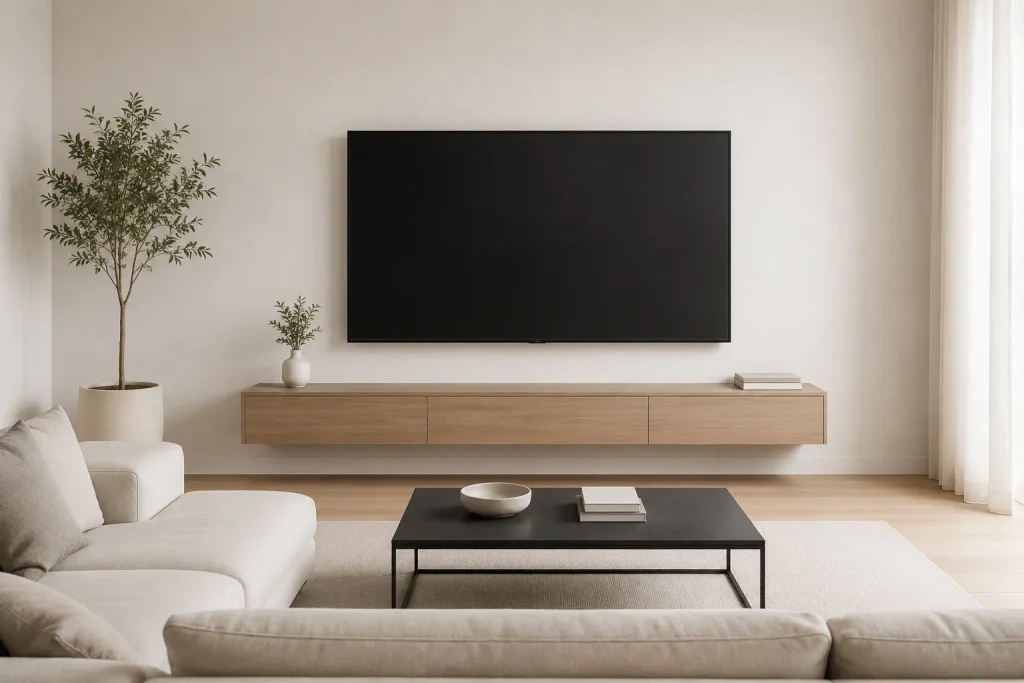
How Our TV Size Calculator Works
The TV Size Calculator widget above gives you two ways to solve the problem:
- I Know My Distance: Enter how far you sit from the wall, pick your resolution and viewing preference, and the TV Size Calculator spits out the recommended screen size along with minimum and maximum options.
- I Have a TV: Enter your existing TV size, and the TV Size Calculator tells you exactly how far away your couch should be for the ideal angle.
It also factors in aspect ratio, room type, and mount style so you get a recommendation that fits your actual life, not just a textbook formula. Learn more about how viewing distance affects eye comfort from THX’s official guidelines.
Why Viewing Angle Matters (And How a TV Size Calculator Uses It)
The horizontal viewing angle is the single biggest variable most people ignore. It is the angle formed by the left edge of your screen, your eyes, and the right edge of your screen. If that angle is too narrow, the TV feels like a postage stamp. Too wide, and you are turning your head like you are at a tennis match.
THX recommends a 36° to 40° horizontal viewing angle for a cinematic, immersive experience. SMPTE draws the line at 30° as the bare minimum for comfortable viewing. That 26° to 40° window is your sweet spot, and any solid TV Size Calculator builds its math around that range.
A quick rule of thumb if you are doing this manually: multiply your seating distance by 0.6 to get a TV width close to 30°, or by 0.84 to land near 40°. Since these are widths, you will need to convert to diagonal screen size using the aspect ratio. But honestly, that is exactly why a TV Size Calculator exists — to skip the trigonometry and give you the answer in seconds.
For example, if you sit 8 feet (96 inches) from the screen:
- At 30°: roughly a 58-inch TV
- At 40°: roughly an 80-inch TV
Most people who go back and upgrade later say the same thing: they wish they had gone bigger. It is rare to hear someone complain that their TV is too large. Run the numbers through the TV Size Calculator and you will likely land on a size larger than you initially expected.
What You Watch Changes the Math
Not all content is created equal, and your viewing habits should nudge the numbers inside the TV Size Calculator.
4K Blu-rays and cinematic content benefit from a wider angle, closer to that 40° mark. The extra resolution holds up even when you are sitting closer, so you can get away with a bigger screen without the image falling apart. If your library is full of 4K UHD discs, lean toward the immersive setting in the TV Size Calculator.
Cable TV, older 1080p shows, or casual background viewing do not need the same immersion. A 30° angle, or even slightly less, keeps the screen from dominating the room when the TV is mostly on for noise while you scroll your phone. The TV Size Calculator has a “Casual” mode built exactly for this.
Sports and gaming sit somewhere in the middle. Fast motion is easier to track with a moderate angle, but you still want enough screen real estate to catch the details. The TV Size Calculator “Balanced” preset handles this perfectly.
Quick Reference: TV Size vs. Distance
If you want to eyeball it before using the calculator, here is how the numbers shake out for 4K displays across the recommended 26° to 40° range:
| TV Size | Optimal Seating Distance |
|---|---|
| 50″ | 5′ 0″ – 7′ 10″ |
| 55″ | 5′ 6″ – 8′ 8″ |
| 60″ | 6′ 0″ – 9′ 5″ |
| 65″ | 6′ 6″ – 10′ 3″ |
| 70″ | 7′ 0″ – 11′ 0″ |
| 75″ | 7′ 6″ – 11′ 10″ |
| 80″ | 8′ 0″ – 12′ 7″ |
| 85″ | 8′ 6″ – 13′ 4″ |
| 90″ | 9′ 0″ – 14′ 2″ |
For 1080p, add roughly 30–40% more distance to avoid seeing pixels. For 8K, you can shave distance off if you can even find content that uses the resolution.
Resolution and How Close You Can Actually Sit
Here is where pixel density comes into play. The higher the resolution, the smaller the individual pixels, and the closer you can park yourself before the picture starts looking blocky.
There is a threshold where the human eye can resolve individual pixels. Cross that line and the image degrades. For a 1080p TV, that threshold is about 1.7 times the screen width. For 4K, it drops to 0.8 times the screen width. 8K shrinks it even further to 0.4 times.
What that means practically: you can sit much closer to a 4K TV than a 1080p model of the same size and still get a clean image. If your couch is 7 feet from the wall, a 65-inch 4K set will look crisp, whereas a 65-inch 1080p set might start showing its seams. The TV Size Calculator factors this in automatically — it will warn you if your chosen distance is too close for your selected resolution.
Do Not Forget the Room Itself
Viewing distance and angle are the headliners, but the room itself gets a vote. A good TV Size Calculator accounts for more than just math.
Aesthetics and furniture: A 90-inch screen might technically fit your viewing distance, but if it turns your formal living room into a stadium, you might scale back. Also check the weight limit on whatever stand or console you are using. A 77-inch OLED can weigh 70+ pounds.
Mounting height: The center of the screen should sit at or slightly below eye level when you are seated. Mount it too high — like above a fireplace — and you will crane your neck. That higher mounting position also effectively pushes the screen farther away vertically, which can make a large TV feel more awkward than it would at normal height.
Room type: A dedicated media room can handle a shorter viewing distance because the whole space is built around the screen. A multi-purpose living room shared with a dining area usually needs more breathing room. The TV Size Calculator lets you select room type for a more tailored result.
Budget: Bigger screens and higher resolutions cost more, obviously. But prices have dropped hard in the last few years. A 65-inch 4K TV that would have cost a fortune five years ago is now entry-level. Do not let old price memories steer you toward a smaller screen than your room can handle. Plug your budget and your room into the TV Size Calculator and buy with confidence.
How to Use the TV Size Calculator Step by Step
If this is your first time using a TV Size Calculator, here is the exact workflow:
- Measure your seating distance from eyeball to screen wall. Use a tape measure, not a guess.
- Pick your resolution — 1080p, 4K, or 8K.
- Choose your viewing style — Cinema (40°), Balanced (36°), Mixed Use (30°), or Casual (26°).
- Select your room type and mount style for context.
- Hit Calculate. The TV Size Calculator returns your ideal size, minimum size, maximum size, optimal distance, pixel density, and whether your setup will show visible pixels.
If you already own a TV, flip to “I Have a TV” mode and work backwards. The TV Size Calculator will tell you exactly where to place your couch.
Bottom Line
Start with your seating distance, pick your angle based on what you watch, check that your resolution can handle the closeness, and then account for the room’s layout. When in doubt, lean toward the larger end of the range. Almost nobody regrets buying the bigger TV.